
Features
Everything your album can do
Every feature below is included in the one payment. There is no premium plan, no upgrade, and nothing your guests have to install.
Updated September 2026 — includes the folders, guest names and table cards released this month.
- Unlimited guests
- Unlimited photos & videos
- Original quality
- No app for guests
- 12 months of storage
- One payment
In short
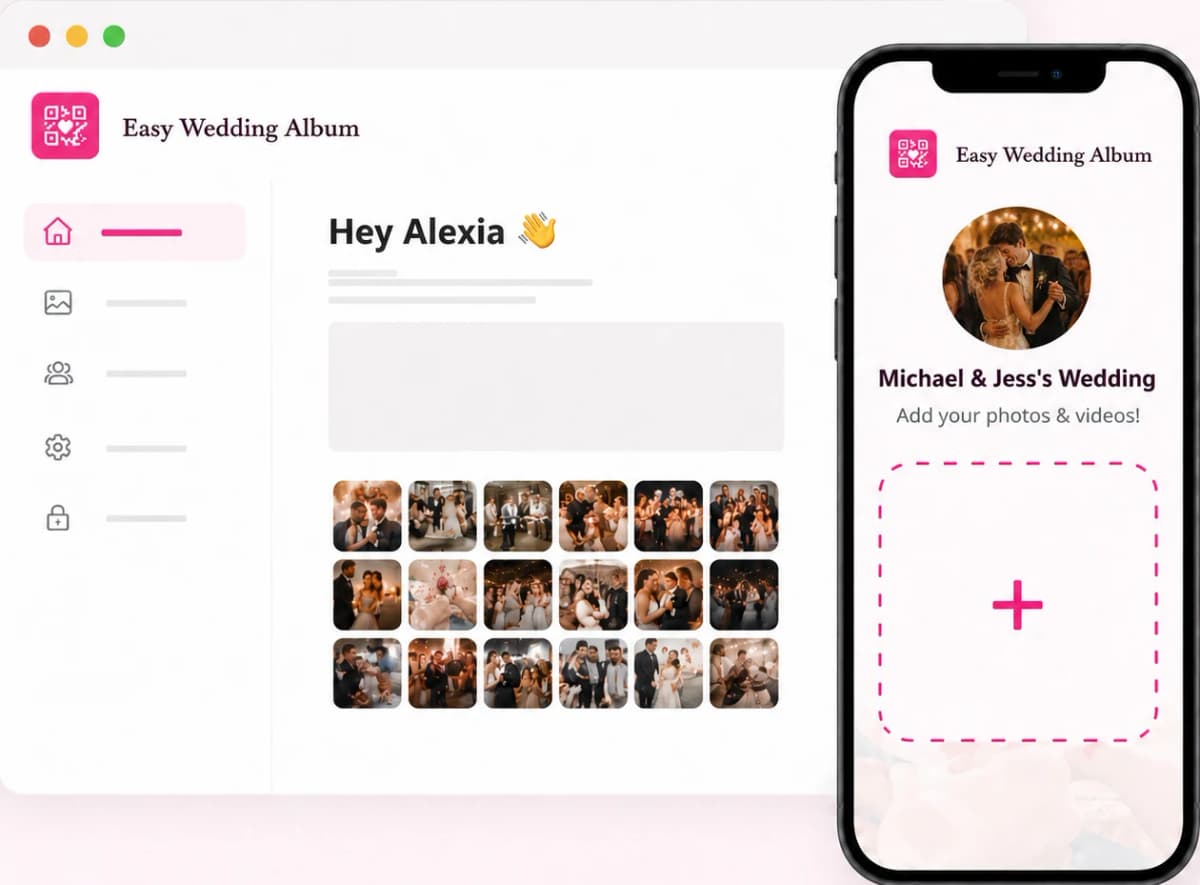
Easy Wedding Album is a web app that collects the photos and videos your guests take at your wedding. You get a QR code; guests scan it with their phone camera and upload straight into your private album, with no app and no account. Photos keep their original quality, a live slideshow can run on a screen during the reception, and you decide what guests can see, download or not. One payment covers everything, including 12 months of storage.
Before the wedding
Set up in a few minutes
Your album exists the moment you pay. What you do next is make it look like your wedding and put the code where guests will see it.
Your QR code and link
Created instantly. Copy the link for your group chats, or download the QR code as an image — with a transparent-background option to drop onto your own stationery.
A printable poster, already designed
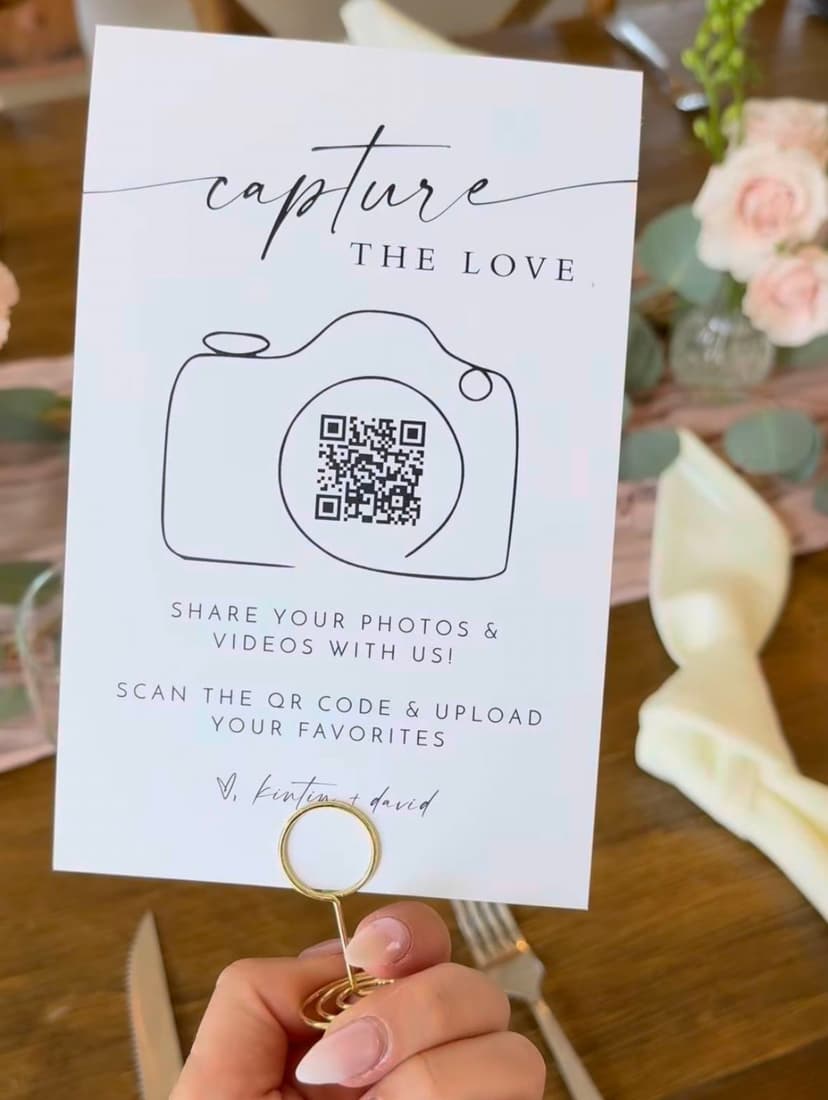
An A4 poster with your QR code. Change every line of text, the fonts, sizes and colours, then download it as a PDF ready to print.
4 table cards on one sheetNew
The same design as 4 A6 cards on a single A4 sheet — print once, cut along the dotted lines, one card per table.
A guest page that looks like your day
Your event name, the date (shown or hidden), an accent colour for the buttons, and a photo of the two of you — round or square — above the title.
In your guests' language
The guest page is available in 9 languages: English, French, Spanish, German, Italian, Portuguese, Japanese, Korean and Greek. You choose which one guests see.
Password protection
Optional. Guests type the password before they can view or add anything. Repeated wrong attempts are blocked for a few minutes.
Remove our branding
Hide the “Made with EasyWeddingAlbum” mention so the guest page is entirely yours.
On the day
For your guests: scan, pick, send
Guests do not download anything and do not sign up. That is why grandparents manage it, and why more photos come in.
No app, no account
The phone camera reads the code and the album opens in the browser. Works on iPhone and Android.
Photos and videos in original quality
No compression: every photo and video arrives in your album exactly as it was taken.
Android HEIC photos handled
HEIC photos from Samsung and other Android phones are converted automatically, so every photo opens on every device.
Their first name on their photosNew
Guests can add their first name before uploading — or skip. You can then see who took what.
“Which moment is it?”New
When you use folders, guests choose the right one as they upload: ceremony, party, brunch…
Uploads that don't give up
If a phone loses signal, the failed files are listed with the reason and can be retried in one tap. Too-large videos come with a tip to fix them.
Live slideshowNew
Put the album on a TV or projector: new photos appear on their own as guests send them. Full screen, 2 to 15 seconds per photo.
Names on the big screenNew
The slideshow can show the first name of the guest who took each photo — only if you chose to show names to everyone.
Photo moderation
Optional. New uploads stay hidden until you release them, or you approve and reject them one by one. Guests see that their photos are waiting for approval.
After the wedding
Your album, organised and under your control
The morning after, everything is in one place. These are the tools to sort it, share it and keep it.
Sorted by when each photo was takenNew
Not by upload time: a ceremony photo sent the next day still sits with the ceremony.
Folders by moment, place or dayNew
Create folders (“Ceremony”, “Party”, “Sunday brunch”…), give each one a cover photo and move many photos at once. A folder is a filter: every photo stays in the main gallery, and deleting a folder never deletes photos.
Filter by guestNew
See everything one person sent, or search a first name. Also filter photos only or videos only.
Hide a photo or a folder from guestsNew
It stays in your album, but guests no longer see it. The filtering is done on our server, so a hidden photo never reaches a guest's phone. You can also hide the whole gallery while guests keep uploading.
Choose where names appearNew
Guest first names shown everywhere, only to you, or nowhere.
Download everything in original quality
One button downloads the whole album as a ZIP, with your folders kept. Or select just the photos you want.
Straight into your iPhone's PhotosNew
On iPhone, the photos you pick save directly to the Photos app — no ZIP file to open.
Let guests download (optional)New
Off by default. Switch it on and guests can save photos one by one or several at once.
12 months of storage, then your choice
An email reminds you 30 days and 7 days before the end. Renew for one year or keep the album for life. If you miss it, you still have a 30-day grace period before anything is deleted.
Give it as a gift
Buy and set up the album, then send it to the couple by email: they become the owner.
The numbers
What is included, in figures.
| Guests | Unlimited |
|---|---|
| Photos & videos | Unlimited, in original quality |
| Guest page languages | 9 (EN, FR, ES, DE, IT, PT, JA, KO, EL) |
| Storage | 12 months included · renewable for 1 year or for life |
| Price | One payment · no subscription · no upgrade |
Questions about the features
Do my guests need to download an app or create an account?
No. They scan the QR code with their phone camera and the album opens in their browser. No app, no account, no email address.
Is there a limit on guests, photos or videos?
No. Guests, photos and videos are unlimited, all in original quality.
Are photos compressed?
No. Photos and videos are stored exactly as your guests' phones took them, with no compression.
Can I control what guests see?
Yes: moderation before publishing, hiding single photos or whole folders, hiding the entire gallery, a password, and a choice of where guest first names appear. Guest downloads are off unless you switch them on.
Can I organise the photos by moment?
Yes. Create folders (ceremony, party, a place, a day). Guests can pick the folder when they upload, and every photo also stays in the main gallery.
Can I show the photos live during the reception?
Yes. The live slideshow runs on any screen with a browser, shows new photos automatically as they arrive, and lets you set 2 to 15 seconds per photo.
What happens after 12 months?
You get email reminders 30 and 7 days before the end. You can renew for a year or keep the album for life, and you can download everything at any time before then. A 30-day grace period follows the end date.
Is it a subscription?
No. It is a single payment, and every feature on this page is included. There is no premium version.
Everything above, in one payment
Create your album in two minutes and share your QR code today.
Create my albumOne-time payment · 12 months of storage · No subscription