Complete step-by-step guide

How Easy Wedding Album works

From payment to your full gallery — exactly what happens at each step, with screenshots of the real product.

After payment

Set up your wedding album

Once your payment is confirmed, you instantly access your personal admin console. Enter your wedding name, date, and choose the language your guests will see. Takes less than 2 minutes.

Set the guest language to match your guests — the upload page will appear in their language automatically.
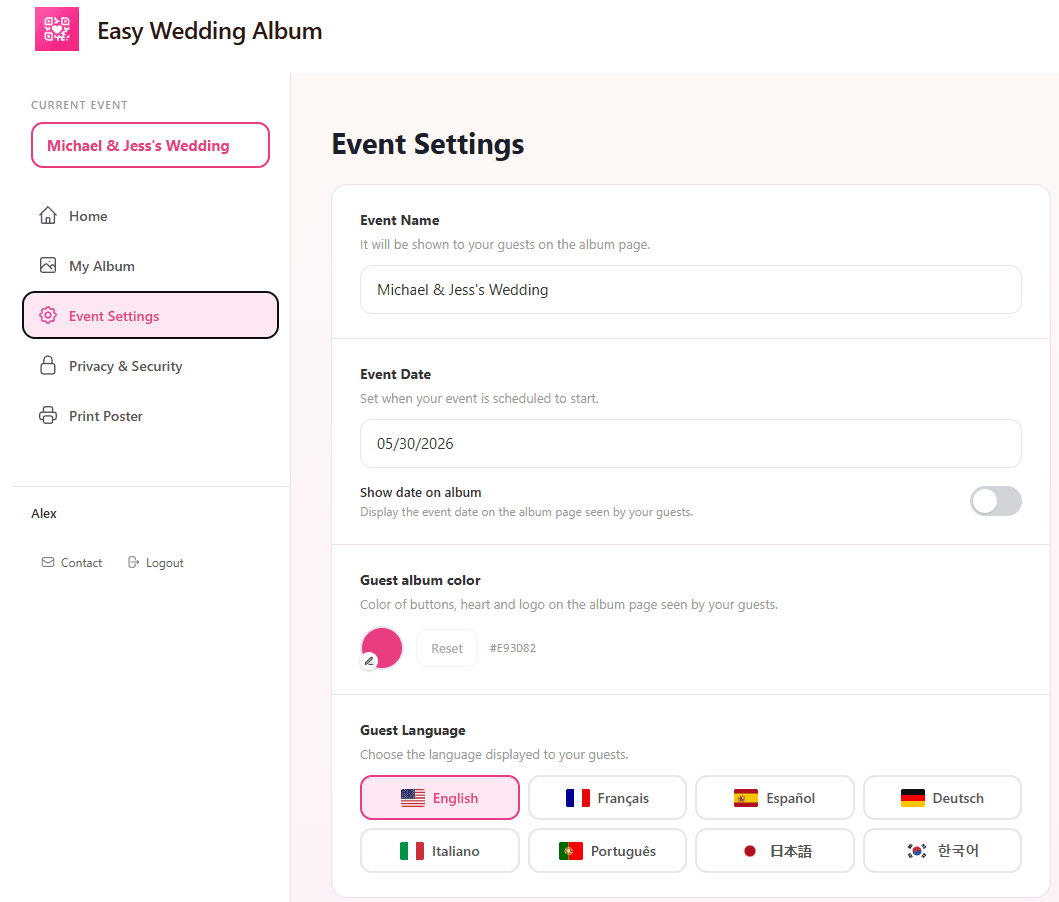
Easy Wedding Album admin console showing Event Settings — configure wedding name, date and guest language
Your QR code

Your unique QR code is ready

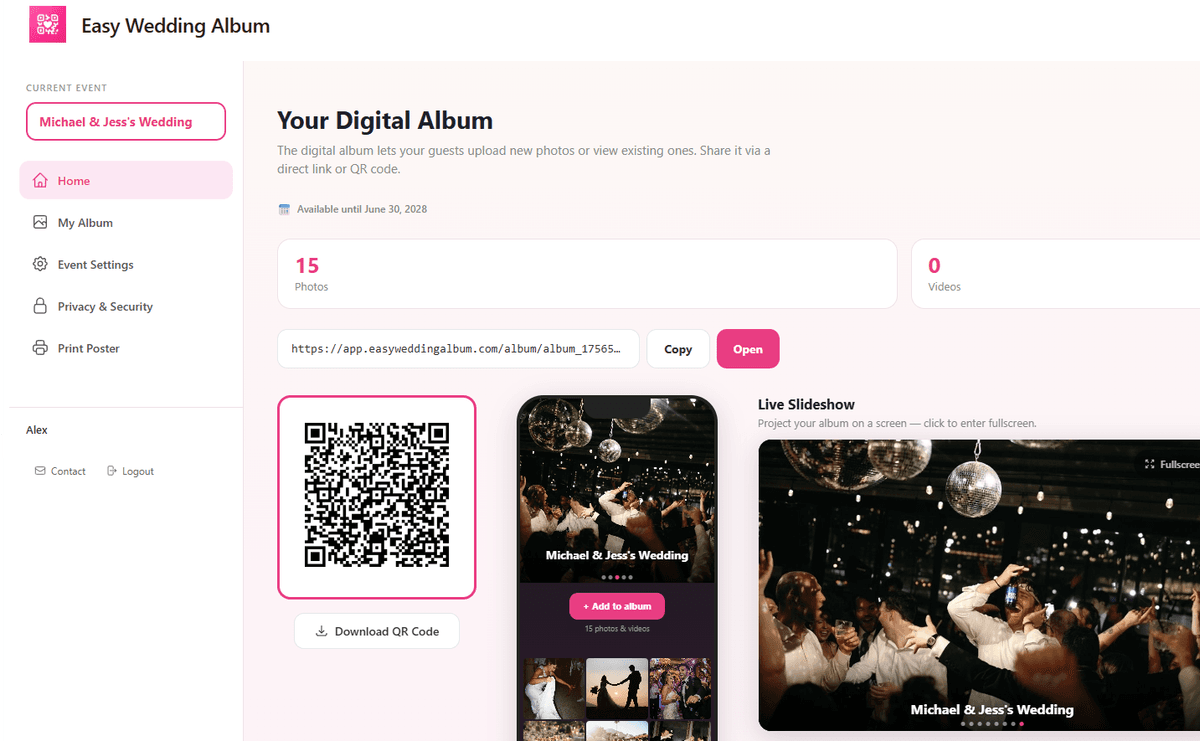
From your dashboard, you'll find your personalized QR code and a direct shareable link. Your guests can use either to access the album and upload their photos. You can also open your album directly from here.

Copy the link and share it in your wedding group chat before the event — more guests will contribute.

Easy Wedding Album dashboard displaying the couple's unique QR code, shareable album link and live photo count
Wedding day

Print & display the QR code

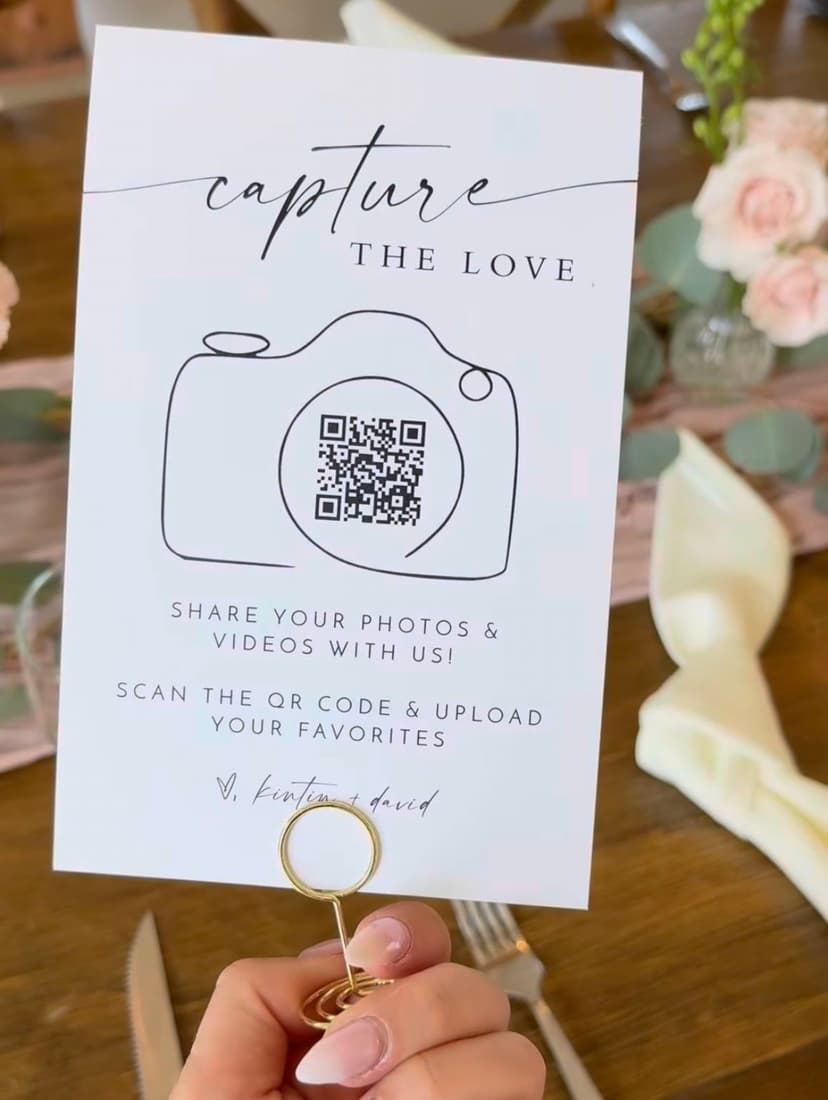
Download your QR code and print it to display at every table, on the bar, or include it in your invitations. The more visible it is, the more photos you'll collect. Our couples love placing it on table cards like this one.

Print at least one QR card per table — guests are more likely to scan when they see it right in front of them.

Wedding QR code table card held at a reception — printed 'Capture the Love' card with QR code for guests to scan and share photos
Guest experience

Guests scan & upload in seconds

Your guests scan the QR code with their phone camera — no app to download, no account to create. They land directly on the upload page and can share their best photos and videos with you instantly.

Works on any smartphone — iPhone, Android, and even older models. Even grandma can do it.

Screen recording of a guest uploading wedding photos by scanning the QR code on their phone
After the wedding

View & download all your memories

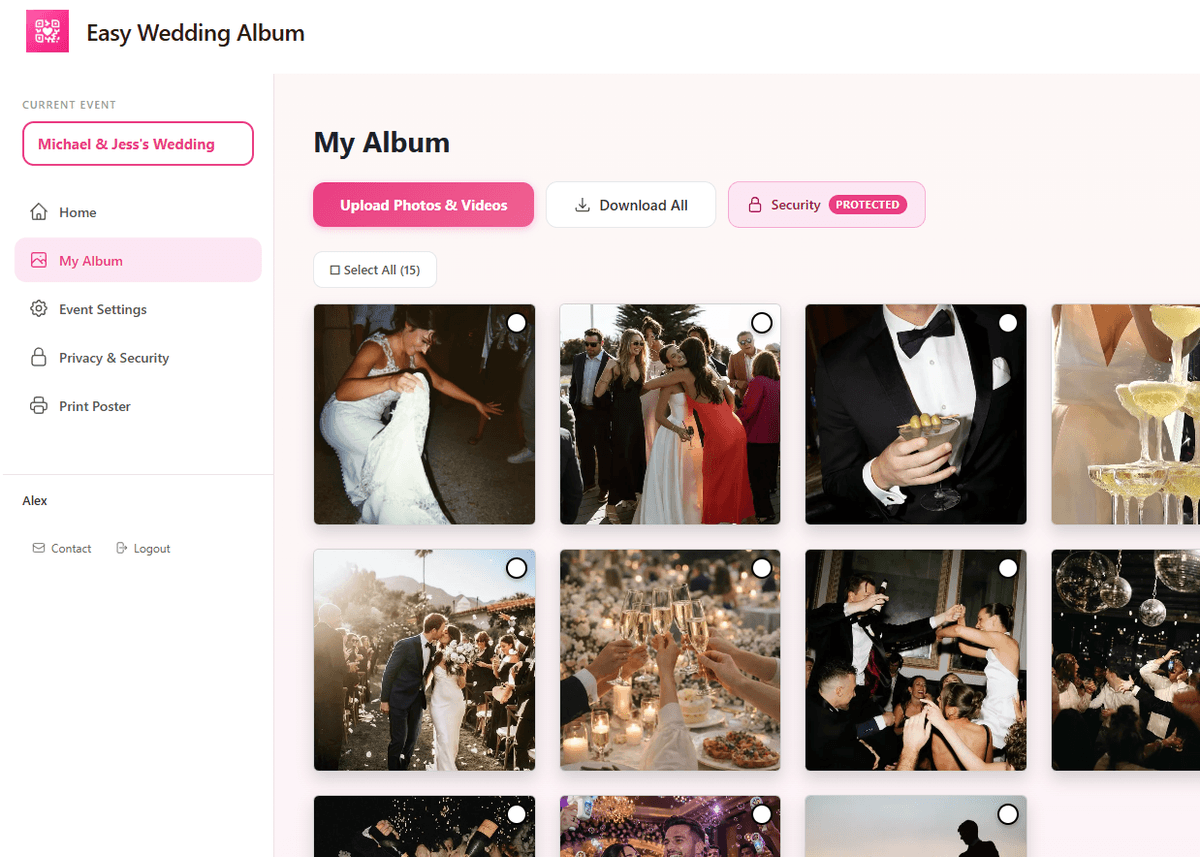
All photos and videos uploaded by your guests appear in real time in your Photos & Videos gallery. Browse, select, and download everything in full original quality — ready to print or keep forever.

Use the 'Download All' button to save your entire collection in one click.

Easy Wedding Album photos and videos gallery — couple's admin panel showing all guest-uploaded wedding photos in a grid with download all button

Ready to collect every wedding memory?

Set up your album in 2 minutes. Your guests will love it.

Create my album — $29

One-time payment · 12 months secure storage · No subscription