
Free tool · No sign-up
Wedding Hashtag Generator
Type your first names, the last name you'll share, the year or the place, and get personalized wedding hashtag ideas instantly. Copy the one you love, check that nobody has used it yet, and put it on your signs.
Generate your wedding hashtag
Fill in what you like — the ideas update as you type. Nothing is sent anywhere: it all runs in your browser.
Type both first names (or your shared last name) to see your hashtag ideas.
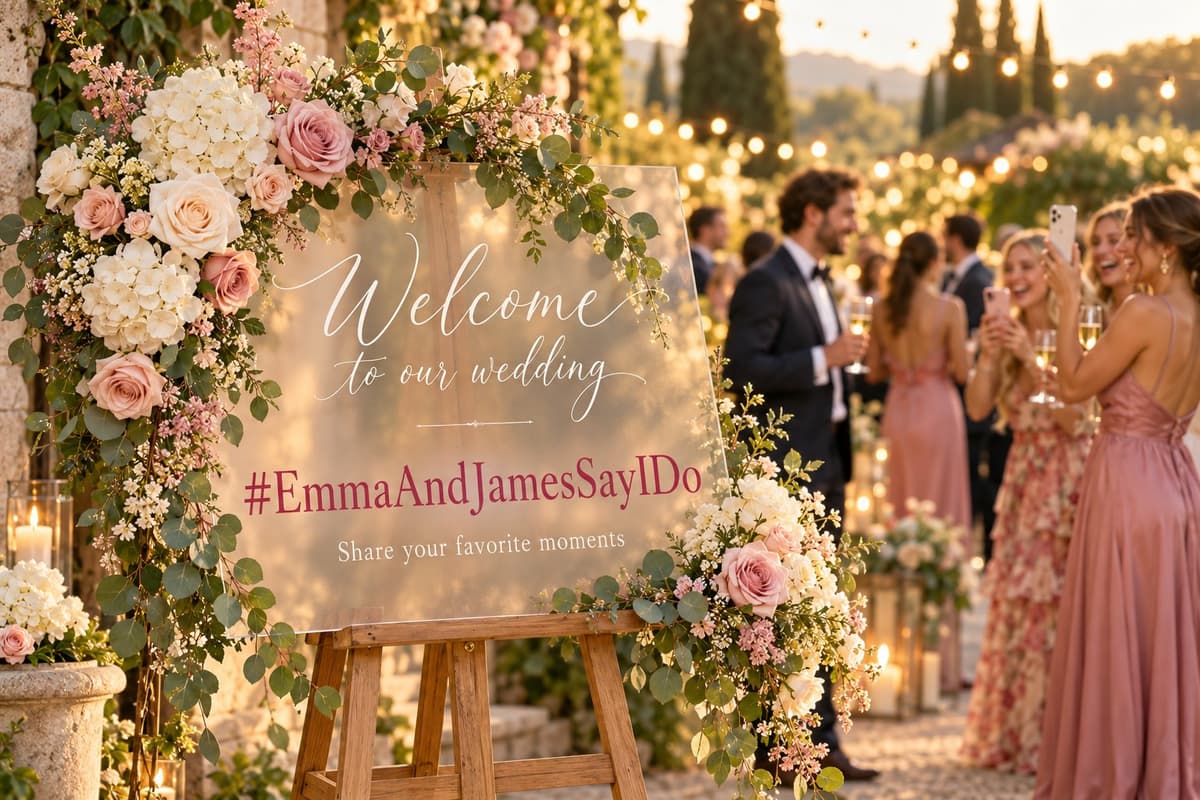
How to pick a wedding hashtag guests will actually use
- Make it unique. Tap the “check if it's taken” link under an idea: if the hashtag already shows other couples' photos, add your initials, the year or the place.
- Keep it under 25 characters. Guests type it on a phone in a noisy room. Short beats clever.
- Capitalize every word.
#EmmaAndJamesSayIDoreads instantly;#emmaandjamessayidodoes not — and it can be misread. - Avoid ambiguous spellings. If a name has several spellings (Kaitlyn, Caitlin…), guests will get it wrong. Pick the idea built on the easier name or on your last name.
- Use one hashtag, everywhere. Same tag on the website, invitations, welcome sign and table cards. Two hashtags split your photos in two.
The catch: a hashtag shares your wedding, it doesn't collect it
A hashtag is perfect for the public side of the day: friends posting their favorite shot and everyone scrolling through them later. But if your plan is to get every guest photo, a hashtag leaves most of them behind:
- Photos posted from private accounts never appear under a hashtag.
- Guests who aren't on Instagram or TikTok — often grandparents and older relatives — can't take part.
- Guests post a favorite or two and keep the rest in their camera roll.
- Social apps compress photos, so what you'd save is not print quality.
That's why most couples now print a wedding photo QR code right next to their hashtag. Guests scan it with their phone camera and upload their photos and videos into your private album — no app, no account, original quality.
- Every guest can contribute, with or without social media.
- Whole camera rolls, not one curated post: photos and videos, unlimited.
- A live slideshow on a screen at the reception, updated as photos come in.
- A printable poster and table cards with your QR code — add your new hashtag on the same card.
Hashtag + QR code: the combo that works
Print both on the same sign: “Share on social with #YourHashtag — and scan to send us all your photos.” Easy Wedding Album is one payment, no subscription, and you can try it free for 7 days with no credit card.
Free trial
No credit card needed
Try it freeActivate whenever you want: same album, same QR code.
- 50 photos and videos
- Unlimited guests, no app
- 7 days to test everything
- Your QR code and share link
- Live slideshow on the big screen
- Personalization: title, colors, couple photo
- QR cards and poster to print
- One-click download of everything
- Removing our branding
- Moderation and password protection
Full album
Once. Not per guest, not per month.
Create my album- Unlimited photos and videos
- Unlimited guests, no app needed
- No subscription. After 12 months, you can extend for another year or keep your album forever. We'll email you before it ends. to upload and download
- Download everything in one click, original quality
- Live slideshow at the reception
- Remove our branding
- QR cards and poster to print
- Moderation and password protection
Frequently asked questions
How do I make a wedding hashtag?
Start from your first names or the last name you will share, then add a twist: a wedding phrase (Say I Do, Ever After, Tie the Knot), the year, or the place. Keep it short, capitalize each word so it reads easily, and check on Instagram that nobody has used it yet.
Should our wedding hashtag be unique?
Yes. If other couples already used it, your guests will tap the hashtag and land in a stranger’s photos. Adding the year, your initials or the place is the easiest way to make a common idea unique.
How long should a wedding hashtag be?
Aim for under 25 characters. Guests type it on a phone, often after a drink: every extra letter is a chance for a typo that splits your photos across two hashtags.
Where do we display the wedding hashtag?
On your wedding website, the invitations, a welcome sign, table cards and the bar. Put it everywhere guests stop and wait.
Will a hashtag collect all our guests’ photos?
No. Photos from private accounts never show under a hashtag, guests who are not on Instagram or TikTok cannot take part, and social apps compress photos. A hashtag is great for the public fun; to actually receive every photo and video in full quality, couples add a QR code that opens a shared album.
Is this wedding hashtag generator free?
Yes. The generator is free, needs no sign-up, and runs entirely in your browser — the names you type are not sent anywhere. Easy Wedding Album, the photo album it links to, is a separate product with a 7-day free trial.